Wednesday, October 21, 2020

(Cyber)Bullying Reflections

I confess to struggling with writing this week’s blog entry on cyberbullying because I have such conflicting thoughts about bullying… and I’m pretty sure that some people won’t like them.

Let me preface my comments by saying that I think bullying is real, and it is a problem.  As Faucher, Cassidy, & Jackson (2015) note in their overview of the research on bullying in K-12 schools, higher education, and the workplace, there is around a 30% prevalence rate for bullying behavior across sectors.  And the impact of bullying is substantial, ranging from “physical and mental health impacts, as well as academic and professional impacts stemming from absenteeism, concentration problems, relational issues, and attitudinal changes” (Faucher, Cassidy, & Jackson, 2015, p. 118).  

I experienced workplace bullying when I was 15.  Each of my children has undergone a season of bullying at the hands of a peer, my son in preschool and my daughter in 7th grade.  My daughter’s experience involved some limited cyberbullying.  I know firsthand that it is real and that it has real consequences.

As an aside, Faucher, Cassidy, & Jackson (2015) note the difficulty in distinguishing and differentiating behaviors between traditional bullying and cyberbullying.  I do not distinguish between them other than to note that, in my view, cyberbullying denotes an expanded arena for harassment from in-person-based harassment at a specific location or locations (like school or the office) to ubiquitous harassment everywhere a person goes thanks to the ready availability of digital communication devices and the ubiquity of social media platforms in our lives.  Otherwise, I think bullying – in-person or cyber – is correctly identified as “repeated aggressive behaviors that are intended to cause harm to a victim with relatively less power to defend themselves” (Faucher, Cassidy, & Jackson, 2015, p. 112).

What this definition means, however, is that there are a lot of behaviors that are not nice that are also not bullying.  And here is where my thoughts often differ from the mainstream in supporting popular anti-bullying/cyberbullying campaigns.  I think it is dangerous to conflate incivility with bullying.  Just because someone is mean to you doesn’t mean they are a bully.  They may simply be a person who doesn’t like you (or doesn’t want to be around you right that moment), for whatever reason (or no reason) or is in a snit for reasons entirely unrelated to you. 

And I think an emphasis on being nice to everyone creates the sort of culture we live in now where real, pervasive, systemic issues exist but people feel comfortable glossing over them (or flat-out denying their existence) because everyone has always been nice.  (Here’s a blog post by Rachel Garlinghouse about why being nice doesn’t mean you aren’t racist, for example.)  I loathe the “you can’t say you can’t play” mantra of some elementary-level antibullying campaigns.  We do not all have to be nice or kind every minute of every day to avoid bullying.  We do not all have to like each other or get along.  Pushing these sorts of “just be nice” campaigns puts too much focus on surface behaviors that easily mask deeper, systemic campaigns of exclusion of and harm to those who are less powerful.

My dislike of this phrase is grounded not only in my belief that “just be nice” is not a solution to real bullying but also in my belief that adults should not deny children their agency to navigate and solve conflicts without adult intervention.  If we jump in with “you can’t say you can’t play” every time children have a dispute on the playground, no matter how well-intentioned we are, we are denying children the opportunity to develop critical skills.

In general, I think antibullying campaigns make adults feel really good, but I see no evidence that antibullying campaigns reduce bullying.  (Even Faucher, Cassidy, and Jackson (2015) offer no data on what works, just a summary of solutions proposed by participants in the surveys summarized.)  Anecdotally, I have witnessed no substantial changes in children’s behavior over the time period from when I was in middle school to now when I work in a middle school library (and have middle-school-aged children) other than the expanded arena for bullying created by easy access to technology and ubiquitous social media that I note above. 

This article by Izzy Kalman for Psychology Today pretty much sums up my thoughts, and I also connect with these comments byChristopher Emdin, someone I immensely respect and whose book For White Folks Who Teach in the Hood... and the Rest of Y'all Too: Reality Pedagogy and Urban Education played a key role in my application to graduate school.  While awareness is great, punishing perpetrators and encouraging reporting and bystander action on behalf of the bullied are ineffective or, worse, counterproductive (Kalman, 2018; Emdin, 2011).  (I’ll note that a study in Finland indicated that bystander intervention training showed some promise (Wolpert, 2016), but Finland is a much smaller and far more homogeneous country than is the United States (Central Intelligence Agency, 2020) so it will be interesting to see if the same results occur here.) 

So, do I think we should just throw kids to the bullying/cyberbullying wolves and let them fend for themselves?  No. 

* I think children cannot solve bullying by themselves. 

* I think adults cannot solve bullying for children (or, frankly, for themselves, given the workplace stats).

What can we do?  I really think that the answer lies in a cultural shift, which no antibullying campaign alone is going to solve.  To help bringing about that shift, I propose:

  1. Specifically defining what we mean by bullying and cyberbullying.  Drop the “be nice” mantra and focus on PERSISTENT, HARMFUL, behaviors that reflect and/or perpetuate a POWER IMBALANCE.  Acknowledge that technology broadens the scope of bullying from the traditional areas of school by allowing the bully’s behaviors to follow the bullied anywhere.  Specifically define what is permitted and what is not. As Faucher, Cassidy, & Jackson (2015) encourage, creating policies that “set the standard for behavior and actions,” that are clearly worded, clearly communicated, and transparently enforced.

  2. BUT, as Kalman (2018) and Emdin (2011) encourage, at least in the school setting, let’s focus on enforcement mechanisms that improve the lives of both the bullied AND the bully.  Speaking solely for the educational environment in which I work (because I’m not sure that adult behavior is so easily modifiable or that firing is an inappropriate consequence for bullying by an adult), bullies do not arise in a vacuum and suspending them or expelling them does not improve their lives and it may worsen their attacks on the bullied child.  Teaching bullies to do better may improve their own lives as well as the lives of those they bully.  Even with cyberbullying, restitution and remediation may be a better answer than punitive action.

  3. Keeping it real.  As adults, we have got to acknowledge that antibullying campaigns that make us feel good do not seem to make a difference for our students.  Kids are not going to report bullying simply because we ask them to do so because the risk of retaliation and escalation is real.  Punitive measures just make the lives of everyone, even the bullies, worse.  And, despite all the amazing videos that schools pull together (check out a sampling from the Cyberbullying Research Center here), sometimes the shiny, successful kids who make those videos so impressive are also the ones dishing out the pain to their peers because they are on top of the social power pyramid in school (Wolpert, 2016).  We need to recognize that the kids adults are often inclined to like most are also the kids who often have the power positions in schools and can wield that power in nasty ways.

  4. Embedding education about our real responsibilities to others (not just “be nice”) in all that we do.  As Faucher, Cassidy, and Jackson (2015) note, we have to “set the balance between the tensions between individual rights such as freedom of expression and security of the person” as well as operationalize “broader based policy values such as care and support” (p. 119).  Part of this may be engaging in the types of digital citizenship curricula suggested by Orech (2012) (though I note that the example behaviors in the sidebar to the article are ones that I would call uncivil but not bullying) and promoting learning during events like Digital Citizenship Week (going on now!) and Media Literacy Week (happening next week!).  Part of it is modeling through our own behaviors.  How we treat others matters, and we need to show the same care and attention for students who may be marginalized and difficult as we do for the shiny, successful students who are easy to like.  A very big part of it – and one that creates a key opportunity for those of us in the library – is creating safe spaces for all students to find refuge, to explore and learn, and to be themselves within a challenging world (Elmborg, 2011).  This is what I have taken on as my personal challenge each day in the library.


References

Central Intelligence Agency. (2020, October 9). The World Factbook: Europe: Finland. https://www.cia.gov/library/publications/the-world-factbook/geos/fi.html

Common Sense Media. (2020). Digital citizenship week.  https://www.commonsense.org/education/digital-citizenship-week 

Cyberbullying Research Center. (n.d.). Cyberbullying videos to use in presentations. https://cyberbullying.org/videos

Elmborg, J. K.  (2011).  Libraries as the spaces between us:  Recognizing and valuing the third space.  Reference & User Services Quarterly, 50(4), 338-50.  https://doi.org/10.5860.rusq.50n4.338

Emdin, C. (2011, December 18). 5 reasons why current anti-bullying initiatives don’t work. HuffPost. https://www.huffpost.com/entry/5-reasons-why-antibullyin_b_1017810

Faucher, C., Cassidy, W., and Jackson, M. (2015). From the sandbox to the inbox: Comparing the acts, impacts, and solutions of bullying in K-12, higher education, and the workplace. Journal of Education and Training Studies, 3(6), 111-125. DOI:10.11114/jets.v3i5.1033

Garlinghouse, R. (2020, October 5). Being nice to people of color doesn’t mean you’re anti-racist. ScaryMommy. https://www.scarymommy.com/being-nice-people-of-color-doesnt-mean-anti-racist/

Kalman, I. (2018, October 24). If your anti-bullying program isn’t working, here’s why. Psychology Today. https://www.psychologytoday.com/us/blog/resilience-bullying/201810/if-your-anti-bullying-program-isnt-working-heres-why  

National Association for Media Literacy Education. (2020). Media Literacy Week 2020.  https://medialiteracyweek.us/

Orech, J. (2012). How it’s done: Incorporating digital citizenship into your everyday curriculum. Tech & Learning, 33(1), 16-18. 

Wolpert, S. (2016, February 3). Successful anti-bullying campaign identified by UCLA. University of California. https://www.universityofcalifornia.edu/news/successful-anti-bullying-program-found-ucla


Saturday, October 17, 2020

Device Agnostic Tools

One thing virtual learning has taught us is that there are so many great online tools to use!  As we have shifted from an in-school environment in which we rely heavily on uniform, district-provided devices that all use the same operating systems and browsers to a remote-learning environment in which students may be on different types of devices with diverse operating systems and browsers, I have noticed the importance of using tools that are device agnostic, that is, that work on any device (Moorefield-Lang, 2014).

I know that many of us are looking for ways to encourage class response while virtual.  I recommend checking out AnswerGarden at https://answergarden.ch/.  AnswerGarden is a polling application that works on multiple devices and platforms (Moorefield-Lang, 2014).  AnswerGarden lets you create word clouds with students, with the most popular answers in larger font (AnswerGarden, n.d.).  It provides a quick, easy way to check in with students to activate prior knowledge, assess learning as you go along, and get feedback at the end of a lesson.  You can check out a sample on the AnswerGarden website:  https://answergarden.ch/demonstration/.

The AnswerGarden website is easy to navigate, and creating a poll is as simple as clicking the + on the top right menu on the home page:

… and following the easy instructions:


No login is required.  Simply create your poll and share.  

Wednesday, October 7, 2020

Accessibility & Flipgrid

As always, remote learning is on my mind.  How do we best serve ALL students when school happens in a virtual environment?  Remote learning certainly poses challenges for all of our students, but it’s important to keep in mind that our students with different learning needs – those who require accommodations in the classroom – face the same challenges remotely that they do virtually.  Are there web tools that we can effectively use as assistive devices to bridge both any existing learning gaps as well as to avoid creating a digital divide based upon the need for accommodations?

Because I am in the library, I spend a lot of time thinking about accessibility tools for reading.  We have many resources to assist students with different needs, including e-books with dyslexic-accessible fonts and audiobooks that serve a wide range of student reading needs.  I recently realized that a tool we already use can also help students in a variety of ways: 

Flipgrid logo
Image courtesy of blog.flipgrid.com

I already love using Flipgrid to engage students with video exchanges and book reviews, and, as Copeland (2011) notes, the best assistive technologies are ones that serve ALL students, not just those with different abilities.  I’m sure that many of you have used Flipgrid to allow students to have conversations or respond to prompts by recording short videos.  If you haven’t, you really should check out these tutorials by our Education Technology Specialist, Jen Hall:

 PD: Flipping for Flipgrid (Tech Tips 411, 2020a)

PD: Jen's 10 Ideas for Using Flipgrid (Tech Tips 411, 2020b) 


Turns out, Flipgrid is thinking about our students with learning differences, too!  Check out this entry on The Flipgrid Blog (Maddy, 2020), which has a number of helpful tutorials included, and this quick YouTube video (Flipgrid, 2020).

Here are a few ideas for ways to use this app to enhance accessibility:

  1. Show students how to use light and dark mode to best work with their visual needs (or yours).

  2. Use the immersive reader feature to read text aloud for students who have difficulty with printed texts or to translate text.

  3. Record a lesson or instructions and embed the QR code in written materials to help students who best process information via verbal instruction (or for those who just like a verbal reminder).

  4. Film translation of a text for Flipgrid in American Sign Language and embed the QR code for access by students who are deaf or have a hearing impairment.

  5. Use the whiteboard feature to engage visual learners

  6. Allow students to record without audio to engage students who are nonverbal or have difficulty with speaking or are just shy.

Using Flipgrid in this way ties in with principles of Universal Design for Learning by allowing students to represent content, demonstrate mastery, and engage with content in different ways (Spina, 2017).

Want to learn more?  Feel free to reach out to me or to Jen Hall.  Flipgrid also has a YouTube channel with helpful tutorial videos.  Check it out! 

Wednesday, September 30, 2020

Let's get physical! Tech hardware & the M-learning framework

Over the past few months, I have spent lots of time thinking about software and technology applications.  How do we use Google Meet or Zoom to lead a class?  Is Flipgrid or Marco Polo better for sharing quick videos among class members?  What word cloud app will integrate seamlessly with my presentation?

This week, however, to quote the irrepressible Olivia Newton John, I say let’s get physical!


I confess that I don’t spend much time thinking about hardware.  In part, this is because most of our hardware – like our laptops and our Boxlight interactive whiteboards – is selected for us by district-level technology staff and almost magically (or, uh, after many calls to tech support) arrives in our classroom and works as planned.  In part, this is because, unlike many library media specialists, physical technology is not in my wheelhouse but in that of my Instructional Technology Specialist partner, Ms. Powe.  The makerspace, which is where a lot of physical tech seems to enter school libraries, is her domain, not mine.

Nonetheless, one of my classes has me thinking about the role of hardware this week.  Beyond the laptop, interactive whiteboard, and, frankly, my cellphone, what hardware could I imagine bringing into the library?  And, if I were to consider integrating some hardware of my choice into my library, what would best support students and teachers? 

_______________________________________________

Lucy Santos Green – who happens to be the professor for my class – reminds us in her 2014 article for Knowledge Quest that technology integration is a key role for library media specialists and that “becoming effective technology leaders involves shifting the focus of our efforts from promoting technology tools and usage to supporting teachers in designing technology-enabled experiences” (p. 42).  Whether the issue is hardware or software, we need to be able to evaluate and select tools that enhance a student-centered pedagogy.

There are a few proposals for evaluating technology for this purpose:

  • SAMR, the validity of which Green justifiably calls into question (2014)
  • The R.A.T. Model based upon research by Joan Hughes (2020)
  • The Florida Center for Instructional Technology’s (2019) Technology Integration Matrix
  • Kearney, Schuck, Burden, and Aubusson’s (2012) M-learning framework

Of these, I find Kearney, et al.’s (2012) framework to be most instructive due to its consideration of three specific features of student-based learning over time and space.  This framework encourages technology integration leaders to ask three key questions:

1.       Does the tool give the learner control?  (Personalization)

2.       Does the tool provide “real world relevance and personal meaning to the learner” (p. 9)? (Authenticity)

3.       Does the tool promote sense-making through dialog? (Collaboration)

______________________________________________

So, to which hardware will I apply this lens?  Being in the library and being a fan of books, my mind immediately goes to eReaders.  Anyone else have a couple of these laying around?

Not just me, right?  It seems eReaders were all the rage a few years ago.  Not only did I go through a couple, but in the first half of the decade now ending, a number of bloggers were also looking at eReaders and their usefulness in the classroom:

Jenaca Fredheim even created a Wiki on their use, and the journal TechTrends published an article.  But not long after this, the excitement over eReaders died down, thanks, I believe, to the introduction of the Kindle app that can be used on any device and the explosive ubiquity of multi-purpose tablets and phones-used-as-mini-tablets.

My question becomes:  are eReaders obsolete or, under the M-learning framework, do they hold potential for our learners? 

-----

Before I get into the analysis, I’d like to mention cost.  Many early comments about eReaders noted cost (Hamilton, 2011; Jonker, 2012; Schugar, Smith, & Schugar, 2013; Watters, 2012), but dedicated eReaders are now fairly inexpensive, with the cost of a Kindle as low as $90 (Amazon.com, 2020).  Additionally, I am surely not the only person with unused e-readers gathering dust at home who may be interested in donating them to a school library.

----

Back to the M-learning framework! 

1. Personalization:

Schugar, Smith, and Schugar (2013) caution us to ask, “Will the e-reader allow access to content that is different or better suited to the task?” (p. 623), a question well-suited to the M-learning framework’s personalization element  I do think that eReaders have the potential to provide a fairly high level of learner control over task-specific content.  As Watters (2012) notes when discussing Kindle features that excite learners:  “Start with the built-in dictionary and then add highlighting, variable font sizes, text-to-speech, and note-taking capabilities. There’s also a ‘popular highlights’ feature, whereby readers can see the most frequently highlighted passages, and that’s been a great ‘conversation starter’—even among second graders, says Parker—to encourage literary criticism, of sorts” (para. 5).  Because eReaders are easily portable (and allow for the portability of far more books at one time than most of us want to carry around in print), they facilitate providing the “just enough, just-in-time, just-for me” sort of learning that Kearney, et al., discuss (2012, p. 9).  Jonker (2012), Hamilton (2011), and Watters (2012) all note the value of this type of personalized content in literature reading circles.  With costs of eReaders declining, I can envision a student – perhaps a student with limited library access or limited internet access – leaving school for the summer with a charger and an eReader stocked with a curated collection of books, and a librarian not worrying too much if the device doesn’t return.

2. Authenticity:

The M-learning framework asks us to consider whether technology centers learning in real-world practice and relevance for the learner.  eReaders, while they may appear to have been rendered outdated by multi-use tablets, do nonetheless provide the opportunity for “rich, contextual tasks” (Kearney, et al., 2012, p. 11) that have “real world relevance” (Kearney, et al., 2012, p. 10).  Certainly, reading on a device is a modern task in which many people engage in the “real world” outside of school.  As Union, Walker Union, and Green note, our students “have grown up in an era in which computers and digital technologies are ubiquitous in their vernacular speech and skill sets” (p. 71).  Having access to a range of curated textual content in a single, portable device can provide learners with the opportunity to practice real-world activities of research, reading, and content curation.

3. Collaboration

Under the M-learning framework, the collaboration aspect considers whether technology supports dialogue and the creation of content by the learner in a community of learners.  Does the technology encourage learners to engage in sense-making through conversation?  While using an eReader can be a solitary activity, it does promote the ability of learners to engage in community activities, such as the literature circles I note above.  With some eReaders, content could be shared among readers in different locations without having to mail printed copies of books.  It is less clear whether eReaders provide the sort of networked, learner-generated content creation that Kearney, et al. (2012), envision.

______________________________________________


Where does this analysis leave me? 

Let’s explore eReaders more!  Check out the ideas in the blogs I’ve linked, and let’s have a conversation about how we can expand our literacy practices in the library and the classroom together.


References

Amazon.com. (2020). Kindle. https://www.amazon.com/b/?node=6669702011&ref=ODS_v2_FS_KINDLE_category

Florida Center for Instructional Technology. (2019). The technology integration matrix. FCIT. https://fcit.usf.edu/matrix/matrix/

Fredheim, J. (2012, March 4). Using e-readers in the classroom. http://etec.ctlt.ubc.ca/510wiki/Using_E-Readers_in_the_Classroom

Green, L. S. (2014). Through the looking glass: Examining technology integration in school librarianship. Knowledge Quest, 43(1), 36-43.

Hamilton, B. J. (2011, August 11). Next steps in the eReader journey: The Nook Simple Touch. The Unquiet Librarian. https://theunquietlibrarian.com/2011/08/11/next-steps-in-the-ereader-journey-the-nook-simple-touch/

Hughes, J. E. (2020). Replacement, amplification, and transformation: The R. A. T. model. TechEdges. https://techedges.org/r-a-t-model/

Jonker, T. (2012, February 18). Lending e-readers in the school library (Part II: Planning). 100 Scope Notes, School Library Journal. http://100scopenotes.com/2012/02/18/lending-e-readers-in-the-school-library-part-ii-planning/

Kearney, M., Schuck, S., Burden, K., & Aubusson, P. (2012). Viewing mobile learning from a pedagogical perspective. Research in Learning Technology, 20. DOI:10.3402/rlt.v2010.14406

Newton-John, O. (2009, December 24). Physical (official video) [Video]. YouTube. https://youtu.be/vWz9VN40nCA 

Schugar, H., Smith, C., & Schugar, J. (n.d.). Teaching with interactive picture e-books in grades K-6. Reading Rockets. https://www.readingrockets.org/article/teaching-interactive-picture-e-books-grades-k-6

Schugar, H.R., Smith, C.A. & Schugar, J.T. (2013). Teaching with interactive picture e-books in grades K–6. The Reading Teacher, 66(8), 615-624. doi: 10.1002/trtr.1168

Union, C. D., Walker Union, L., & Green, T. (2015). The use of eReaders in the classroom and at home to help third-grade students improve their reading and English/language arts standardized test scores. TechTrends, 59(5), 71-81. DOI: 10.1007/s11528-015-0893-3

Watters, A. (2012, February 1). The truth about tablets: Educators are getting iPads and eReaders into students’ hands – but it’s not easy. The Digital Shift, School Library Journal. http://www.thedigitalshift.com/2012/02/ebooks/the-truth-about-tablets-educators-are-getting-ipads-and-ereaders-into-students-hands-but-its-not-easy/   


Wednesday, September 16, 2020

Technology overload? There's an app for that!

I only wish my space was this serene!

This is a message especially for my fellow members of the RamFam at David T. Howard Middle School.

If you’re like me, you may find all of the tech savviness demanded by online teaching and learning to be a little overwhelming! 

We’ve swapped face-to-face interactions for Google Meets and Zoom videoconferences... 

We’ve swapped checking email, texts, and voicemail periodically for checking email, texts, and voicemail AND Remind AND GroupMe constantly...

We’ve swapped managing Google Classrooms for … well, we’re still doing that pretty much the same but many of us have added Bitmjoi classrooms to our repertoires! 

And, if you’re like me, you’ve also got social media accounts to manage.*

 As your library media specialist, I want to encourage you to take a moment to take a breath.


Ahhhhhhh….  

Now.  Let’s talk about technology!

Smith (2010) reassures us that “technology improves the professional practices of teachers by moving them from structuralism to student-centered constructivist activities” (p. 620), and we all, of course, want to be more student-centered.  That’s the leading goal of our school community – to promote the success of all students.  But Smith (2010) also notes that “even digital natives need instruction in how to transition to teachers who use advanced and assistive technologies in the classroom” (p. 619).

Photo by S. Neal
We are incredibly lucky to have Ms. Powe as our full-time Instructional Technology Specialist, and research actually shows that collaborative library media specialists and instructional technology specialists can facilitate effective technology integration in a school (Johnston, 2012).  As key collaborators, Ms. Powe and I are certainly always trying to “lead from the library,” and we know that any technology initiative is really about us – “the people who plan with, teach with, and learn with the technology” (Overbay, Mollette, & Vasu, 2011, p. 56).

I’ve personally been pushing myself with some new tech tools:  developing a “two-minute how-to” video series and creating a weekly Smore for pushing out library information so that I can promote engagement with the library.  Keeping in mind Smith’s (2010) admonition that “teachers do not embrace technology when they do not feel proficient in using them” (p. 619), I’ve been researching technology that is easy to use and that can help me with my goals.  In my research, I have come across a few resources that can help you, as well.  

In this blogpost, I particularly wanted to share resources from two of my favorite blogs that may be of particular interest to our art teacher, Ms. Lebo, as well as to those of you who use art in your own content area classroom (which I also love to do in the library) or clubs (looking at you, Ms. Poindexter).  These resources are easy to use, so no worries about “one more thing” to manage!

1. Teen Librarian Toolbox

http://www.teenlibrariantoolbox.com/2019/02/a-tale-of-three-printers-portable-photo-printers-that-is-tech-review/

This helpful blog post discusses portable printers that can be used to print photos at home.  I miss my handy photo printer that paired with my also-missed digital camera.  (Remember when cameras weren’t just on your phone??)  While we can share photos online, wouldn’t it be cool to edit and print photos easily?  I’m imagining bulletin boards and art displays!  All three of the suggested printers in this blog post require minimal tech skills.  While these printers aren’t free (what is, nowadays?) the cost is manageable, especially with a grant through DonorsChoose, our PTO or Foundation, or CINS!

2. The Classroom Bookshelf

http://www.theclassroombookshelf.com/2020/09/harnessing-our-wonderings-for-how-to-best-use-childrens-literature-to-support-students-this-year/

http://www.theclassroombookshelf.com/2020/03/using-online-museum-resources-for-literacy-learning/

Field trips don’t have to be a thing of the past just because we are learning online.  How about a field trip to one of your favorite art museums?  As I was checking out The Classroom Bookshelf blog on using literature to support students while learning remotely, I went down the rabbit hole with a link to a previous blog entry on online museum resources.  What a great way to bring art from around the world into the classroom!  There is no cost, and implementation is as easy as clicking the links!  I’ll be looking to share some of these in the library, but the art classroom is a natural fit.  (Social Studies teachers, these would be great for you as well, and, ELA teachers, don’t miss checking out the literacy resources in the blog that got me there.)

And, hey, if you just need a break from tech... well, there's an app for that!  I just discovered My.Headspace.com.  Educators get free accounts, and I have really enjoyed starting an exploration of meditation.  Even with all of the overwhelming demands of the day (perhaps because of them), I have enjoyed taking three minutes for myself, and I bet you will, too! 

Rams Rise Up!


* Shameless plug for the library's social media accounts!  Come see me on:

IG:  @LibrarySherryATL
Facebook: @DTHReadingRams
Twitter: @DTHReadingRams


References

Cappiello, M. A. (2020, March 25). Using online museum resources for literacy learning. School Library Journal. http://www.theclassroombookshelf.com/2020/03/using-online-museum-resources-for-literacy-learning/

Enriquez, G. (2020, September 3). Harnessing our wonderings for how to best use children’s literature to support students this year. School Library Journal.  http://www.theclassroombookshelf.com/2020/09/harnessing-our-wonderings-for-how-to-best-use-childrens-literature-to-support-students-this-year/

Jensen, K. (2019, February 20). A tale of three printers, portable photo printers, that is (tech review). School Library Journal. http://www.teenlibrariantoolbox.com/2019/02/a-tale-of-three-printers-portable-photo-printers-that-is-tech-review/

Johnston, M. P. (2012). School librarians as technology integration leaders: Enablers and barriers to leadership enactment. School Library Research, 15, 1-33. http://www.ala.org/aasl/slr/volume15/johnston

Overbay, A., Mollette, M. & Vasu, E. S. (2011). A technology plan that works. Educational Leadership, 68(5), 56-59.

Smith, D. (2010). Making the case for the leadership role of school librarians in technology integration. Library Hi Tech, 28(4), 617-631. http://dx.doi.org/10.1108/07378831011096277

Monday, September 7, 2020

Developing Media Literacy

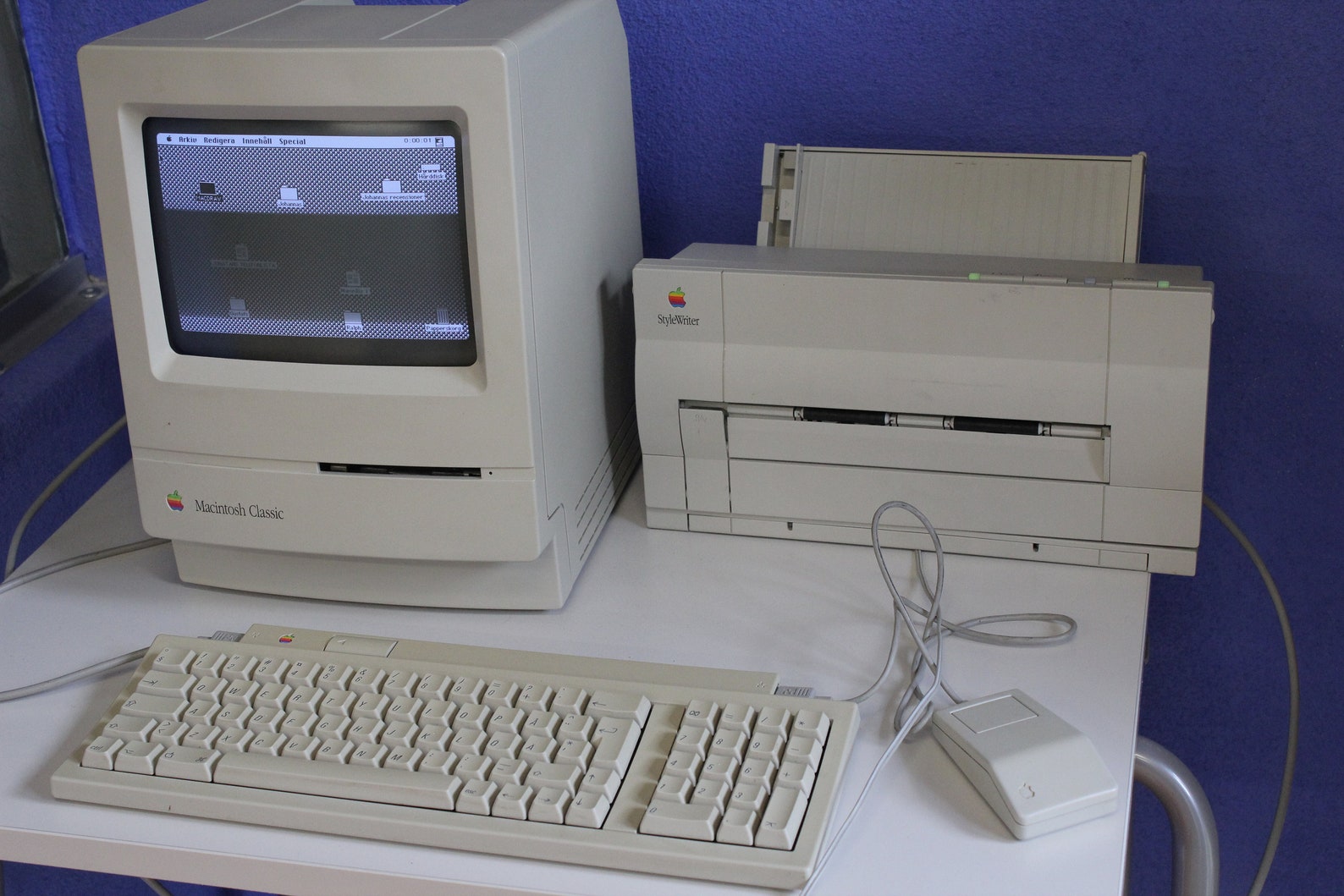
By the time I graduated from high school in 1992, I had handed in many term papers that I had typed on my fancy electric typewriter with citations to a number of library books.  I headed off to college where every student received a brand, spanking new Apple Macintosh Classic II:

Photo courtesy of AntiqueXmas, https://i.etsystatic.com/13928464/r/il/4167ae/2516607797/il_1588xN.2516607797_24wz.jpg

It was portable!  It had a word processor! And a printer!

My senior year of college, I was having some difficulty finding additional texts for my philosophy independent study on democracy and education, so I visited my advisor.  After we discussed the resources I had reviewed and what I was looking for, he queried, “Have you considered looking on the internet?”  I had not.

Sunday, August 30, 2020

Shifting with the Standards - A Look at AASL & ISTE Standards in a COVID World

If we did not already know it was true before COVID, we definitely know it to be true now that we live in a world where information gleaned from the digital, electronic, technological, and online sphere is more important than ever.  Throughout my library studies, I have read a fair bit of lamentation from those who care about books and libraries that the digital world and its content may displace the primacy of printed books.  As Gorman (2015) notes in his preface to the updated Our Enduring Values, the profession of librarianship has “been rocked, socked, shaken, and stirred by all these societal, economic, and technological changes” (p. xii). 

Certainly, as I move forward with my library studies and library work in these COVID times, I have spent a good bit of time thinking about what it means to be a librarian without a library.  Of course, I have a library (and it is brand spanking new and gorgeous and filled with an updated, curated selection of books that I think my students will love), but my students are home learning from my immensely patient and innovative teacher colleagues via Zoom and Google classroom, and they are not visiting my library. 

Thankfully, Dr. Jenna Spiering, in her 2019 article looking at the updated standards from the American Association of School Librarians (AASL) reminds me that “’adolescent literacies’ refers to a shift from recognizing literacy as reading and writing school-sanctioned texts toward an acknowledgment of the myriad ways that young people make sense of text, images, and other media in many different contexts in their everyday and (often) online lives” (p. 46).  It is not so much that the print and digital worlds are in competition but that, increasingly, they are being used in combination.  They are, in a very real sense for our students, merging, and effective school librarians therefore need not only a baseline understanding of the current AASL standards that Spiering (2019) helpfully explicates but also a firm grounding in the standards related to using technology in learning, like those offered by the International Society for Technology in Education (ISTE). 

COVID certainly brings home the importance of librarians keeping things relevant through the use of new technologies.  (I will not say “through technology” because, really, aren’t books a form of technology, just not a particularly new form?)  If students cannot access the print books in our collections (either fully or at all), how do we make sure that they nonetheless access information and “evaluate … [it] for accuracy, purpose, bias, etc.” (Spiering, 2019, p. 47)?  How do we shift from building collections to creating connections (Cromartie & Burns, 2019, p. 81)?

The AASL’s National School Library Standards crosswalkwith ISTE Standards for Students and Educators (2018) helps with navigating the shift that Spiering (2019) references, especially during the current global pandemic.  This helpful chart matches up the AASL’s six shared foundations (inquire, include, collaborate, curate, explore, and engage) with ISTE’s standards across the four AASL domains (think, create, share, and grow) (AASL, 2018). 

Two crossovers stand out to me as examples of how we navigate the shift (Spiering, 2019) in a world where COVID pushes us firmly into the digital context.  We can implement the AASL standards that apply to us as librarians, traditionally in a brick-and-mortar context, through adherence to the ISTE standards in a digital context as well.

1.       Under the shared foundation “Inquire,” the AASL standards for school librarians call for librarians to “design systems that promote flexible and collaborative teaching and learning” (American Library Association, 2018).  The ISTE Standards for Educators call for educators to “foster culture where students take ownership of their learning goals and outcomes in both independent and group settings” (n.d., para. 6a) and to “provide alternative ways for students to demonstrate competency and reflect on their learning using technology” (n.d., para. 7a).  Librarians, as educators, can play an important role simply by making sure that our students have access to the resources they need for successful inquiry.  In an online learning setting, this could include setting up a bitmoji classroom with links to key resources, creating an online request form for students to seek help with finding learning-supportive materials, assisting with efforts to distribute computers or tablets to students, or doing curbside pick-up of requested physical books, if your school and district permit.

2.     Learning online is hard.  No lie.  Even for students we all too often view as “digital natives,” learning online is not the same as learning in a brick and mortar classroom with a physically present teacher!  The Include shared foundation encourages librarians to help students develop an awareness of a global online learning community and to develop and exhibit empathy and tolerance within that community (AASL, 2018).  ISTE standards connect in with a reminder that we can use technology to “build networks and customize their learning environments … use digital tools to connect with learners …” and to “make positive, socially responsible contributions and exhibit empathetic behavior online that build relationships and community” (AASL, 2018).  As librarians, we can prepare digital citizenship lessons that can be shared with students online via school YouTube channels or Google Classrooms.  We can host meet-ups online for our students via Zoom, Google Meet, or WhatsApp so that students can connect and develop and maintain relationships within the school community.

I offer these two examples as food for thought.  The AASL standards and ISTE standards provide many more opportunities for addressing our students’ needs to develop as learners and for navigating the shift from pure textual literacy to a multiplicity of literacies across a variety of texts – traditional print, digital, visual, and more.  I welcome your contributions to this effort!


References

American Association of School Librarians. (2018). National School Library Standards crosswalk with ISTE Standards for Students and Educators [PDF]. AASL.org. https://standards.aasl.org/wp-content/uploads/2018/08/180828-aasl-standards-crosswalk-iste.pdf

American Library Association. (2018).  Shared foundations: Inquire [Infographic].  AASL.org. https://standards.aasl.org/wp-content/uploads/2017/11/SharedFoundations_Inquire_2017.pdf

Gorman, M. (2015). Our enduring values revisited: Librarianship in an ever-changing world. ALA Editions.

International Society for Technology in Education. (n.d.). ISTE standards for educators. ISTE.org. https://www.iste.org/standards/for-educators

Spiering, J. (2019). Engaging adolescent literacies with the standards. Knowledge Quest, 47(5), 44-49.